Setting User Access to Re-Order Points and Packs
By default, all role types except Accountants have permissions to change the ReOrder Pt/Pk values in a Drug Folder.
To modify a user's access to ReOrder Pt/Pk values:
-
Log into Propel Rx as a Pharmacy Manager or ADM.
-
If logged in as a Pharmacy Manager, select More (...) > Security and enter your password in the Security Administration Facility window.
-
At the top, select the user whose access you wish to modify.
-
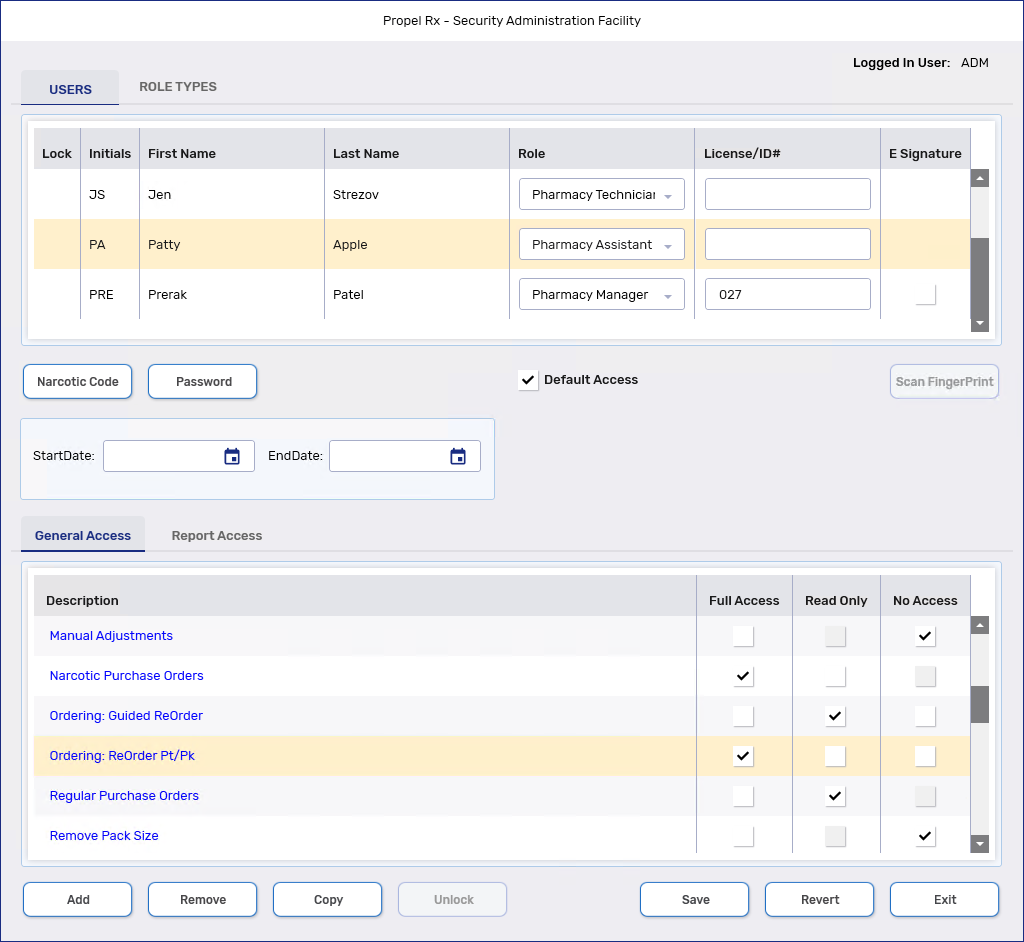
Under the General Access tab at the bottom, locate the Inventory row and then the Ordering: ReOrder Pt/Pk sub-row underneath.
-
On the Ordering: ReOrder Pt/Pk sub-row, modify the user's access as needed.
-
Select Save.
-
Select Exit.
-
Restart Propel Rx on all computers for the changes to take effect.